How to Buy
How to Buy from SubDukan.com
Buying from SubDukan.com is quick and easy! Just follow these simple steps:
1. Browse or Search Products
Use the search bar or browse categories to find what you’re looking for.
Click on a product to view details, pictures, and price.
2. Add to Cart
Once you’ve found the product you want, click “Add to Cart”.
You can continue shopping or go to your cart to checkout.
3. Review Your Cart
Go to the Cart page to see all the items you’ve selected.
Update quantity or remove items if needed.
4. Checkout
Click on “Checkout”.
Enter your delivery information (Name, Address, Phone Number).
5. Choose Payment Method
Select your preferred payment method:
Cash on Delivery (COD)
Bank Transfer
Jazz Cash
ATM card
6. Place Your Order
Review your order and click “Place Order”.
You’ll receive a confirmation SMS or email shortly.
7. Delivery
Your order will be delivered to your doorstep in Chichawatni or anywhere in Pakistan.
Pay in cash (if you chose COD) and enjoy your purchase!
Top rated products
-
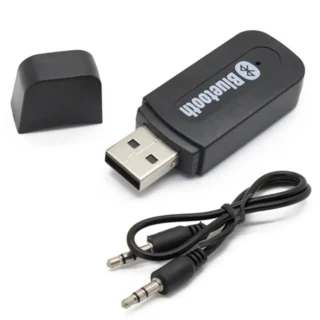
 Latest USB Bluetooth Audio Adapter Wireless Music Receiver 3.5mm Stereo for Car AUX, Home Speakers, PC & Mobile
Original price was: ₨ 400.₨ 250Current price is: ₨ 250.
Latest USB Bluetooth Audio Adapter Wireless Music Receiver 3.5mm Stereo for Car AUX, Home Speakers, PC & Mobile
Original price was: ₨ 400.₨ 250Current price is: ₨ 250. -
Botslab C212 Indoor Smart Pan Tilt Camera 2K WiFi Dome with AI Detection Night Vision and Two-Way Audio
Original price was: ₨ 9,000.₨ 7,499Current price is: ₨ 7,499.
-
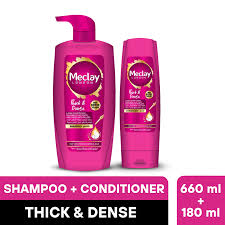
 Meclay London Thick & Dense Shampoo 660ml + Conditioner 180ml – For Fuller, Stronger, Thicker Hair
Original price was: ₨ 2,999.₨ 1,865Current price is: ₨ 1,865.
Meclay London Thick & Dense Shampoo 660ml + Conditioner 180ml – For Fuller, Stronger, Thicker Hair
Original price was: ₨ 2,999.₨ 1,865Current price is: ₨ 1,865. -
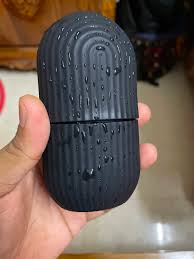
 Silicone Ice Roller Massager – Face, Neck & Eye Cryotherapy Tool De-Puffing, Skin Tightening, Dark Circle
Original price was: ₨ 999.₨ 449Current price is: ₨ 449.
Silicone Ice Roller Massager – Face, Neck & Eye Cryotherapy Tool De-Puffing, Skin Tightening, Dark Circle
Original price was: ₨ 999.₨ 449Current price is: ₨ 449. -
Multi-Purpose Silicone & Plastic Wiper – 10 Blade for Kitchen, Windows, Mirrors & Glass Cleaning
Original price was: ₨ 499.₨ 249Current price is: ₨ 249.
-
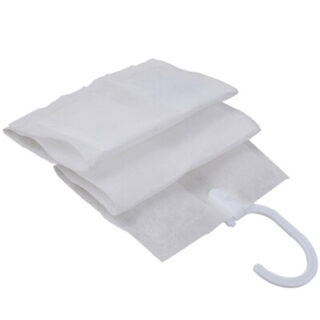
10 Grids Dehumidifier Bags Hanging Wardrobe Moisture Absorber & Drying Agent FUHENG
Original price was: ₨ 999.₨ 799Current price is: ₨ 799.



Product Showcase